
Describe the call. Ask AI builds the scenario.
Type the call you want in plain words. Ask AI drafts the briefing, radio traffic, faults, fire, and scoring around your trucks and your department’s rules. You approve every change, then your crew runs it on the simulator and gets a scored debrief.
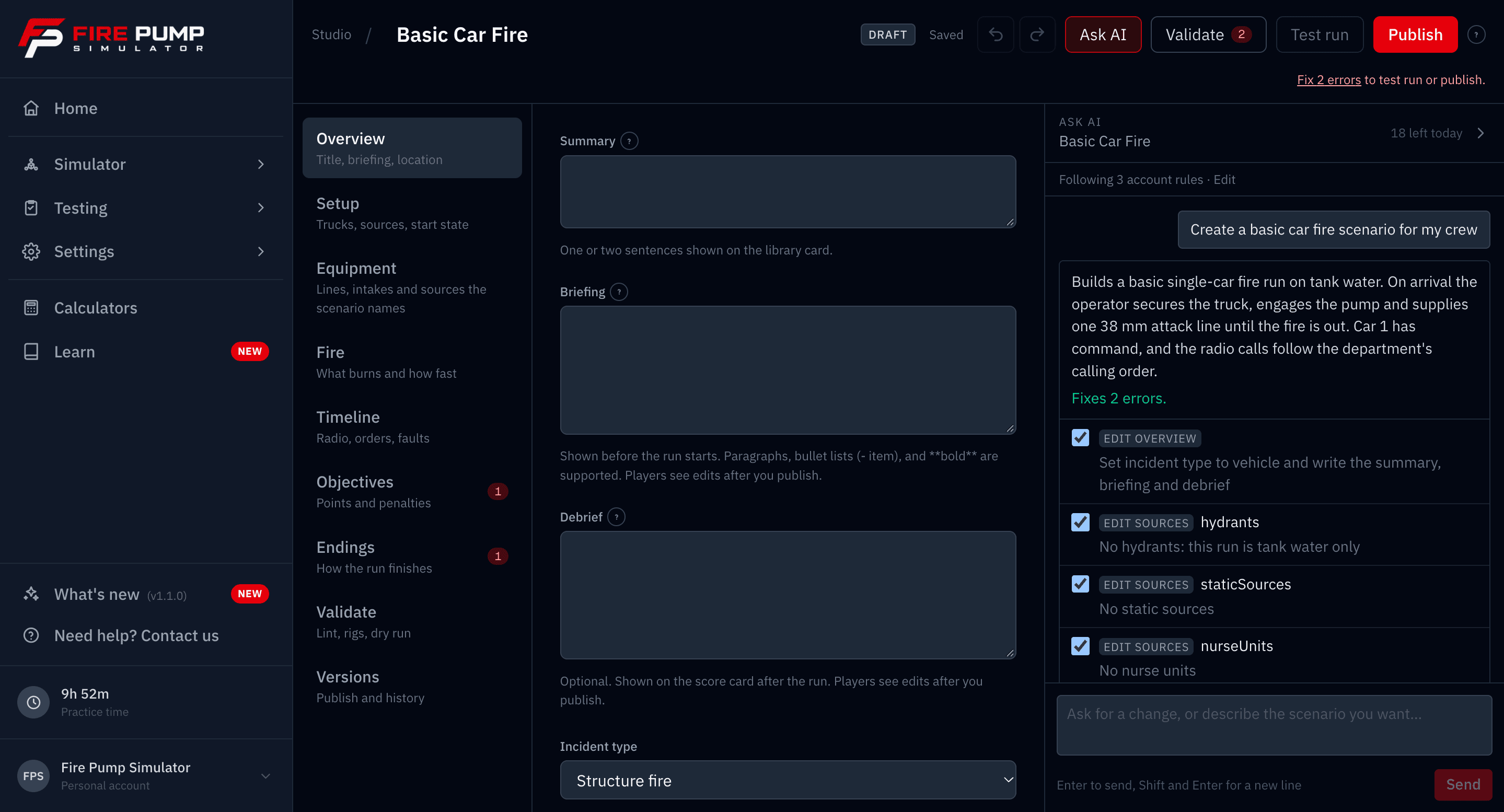
Example of Ask AI in Scenario Studio. An author asks for a rural barn fire with no hydrants and a lost-prime fault. Ask AI proposes 21 changes, the author applies them, and a test run ends at 92 percent, a pass.
Example session. Nothing applies until you tick it and press Apply.
It proposes. You decide.
Ask AI never edits your scenario on its own. Every change arrives as a line you can untick, and nothing reaches your crew until you test it and publish.
Proposes, never writes
Each answer is a list of changes with a checkbox beside every one. Untick what you do not want and apply the rest. One undo reverses the whole batch, and the editor stays yours the whole time.
Checks its own work
Every proposal says whether it fixes errors or adds them. Validate lists anything left over, and Test run and Publish stay locked until the draft is clean.
Dry run on your trucks
A dry run matches every line the scenario names to a real port on each of your trucks, then plays the fire with an ideal operator. It tells you whether the fire is winnable and whether your orders land in time.
Test, then publish a locked version
Test runs never touch training records. Publishing cuts a numbered version, so a run never changes under the operator and every score stays tied to the version they ran.
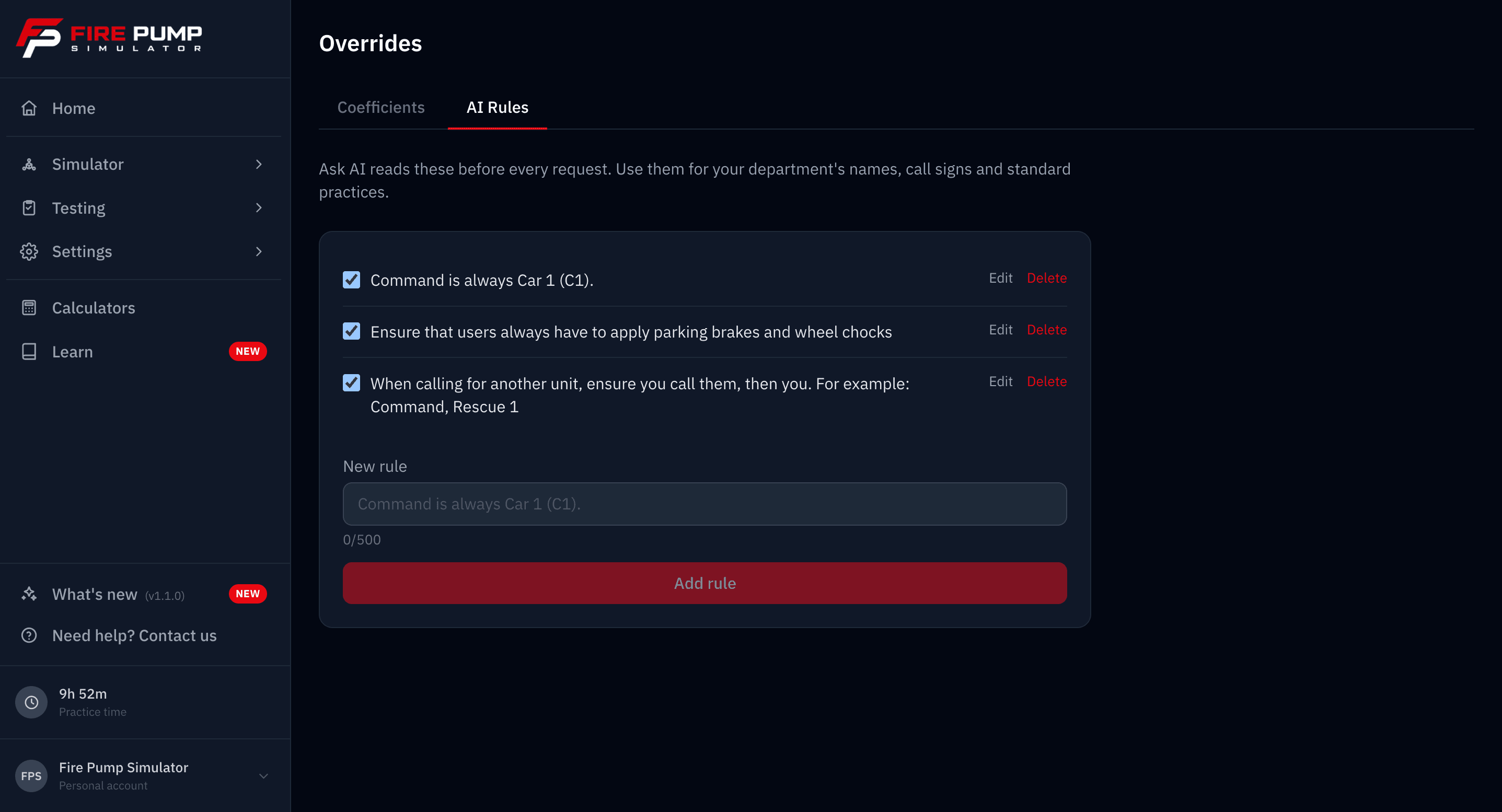
Teach it your department once
Write down how your department does things and Ask AI reads it before every request: call signs, unit names, radio order, the steps you never skip. Every scenario it drafts follows them.
- Command is always Car 1 (C1).
- Our units are Engine 1, Engine 2, Ladder 1 and Rescue 1.
- Dispatch is called Central. Plain-language radio, no ten-codes.
- Every working structure fire gets a RIT assignment.
In a department, the rules belong to the organization and apply to every admin who builds. Ask for something different in the moment and your request wins.
Five calls ready to run tonight
From a roadside grass fire to a tanker rollover, each one is tuned on the real fire model so a well-run pump wins. Run them as they are, or start your own from any of them in the Studio.
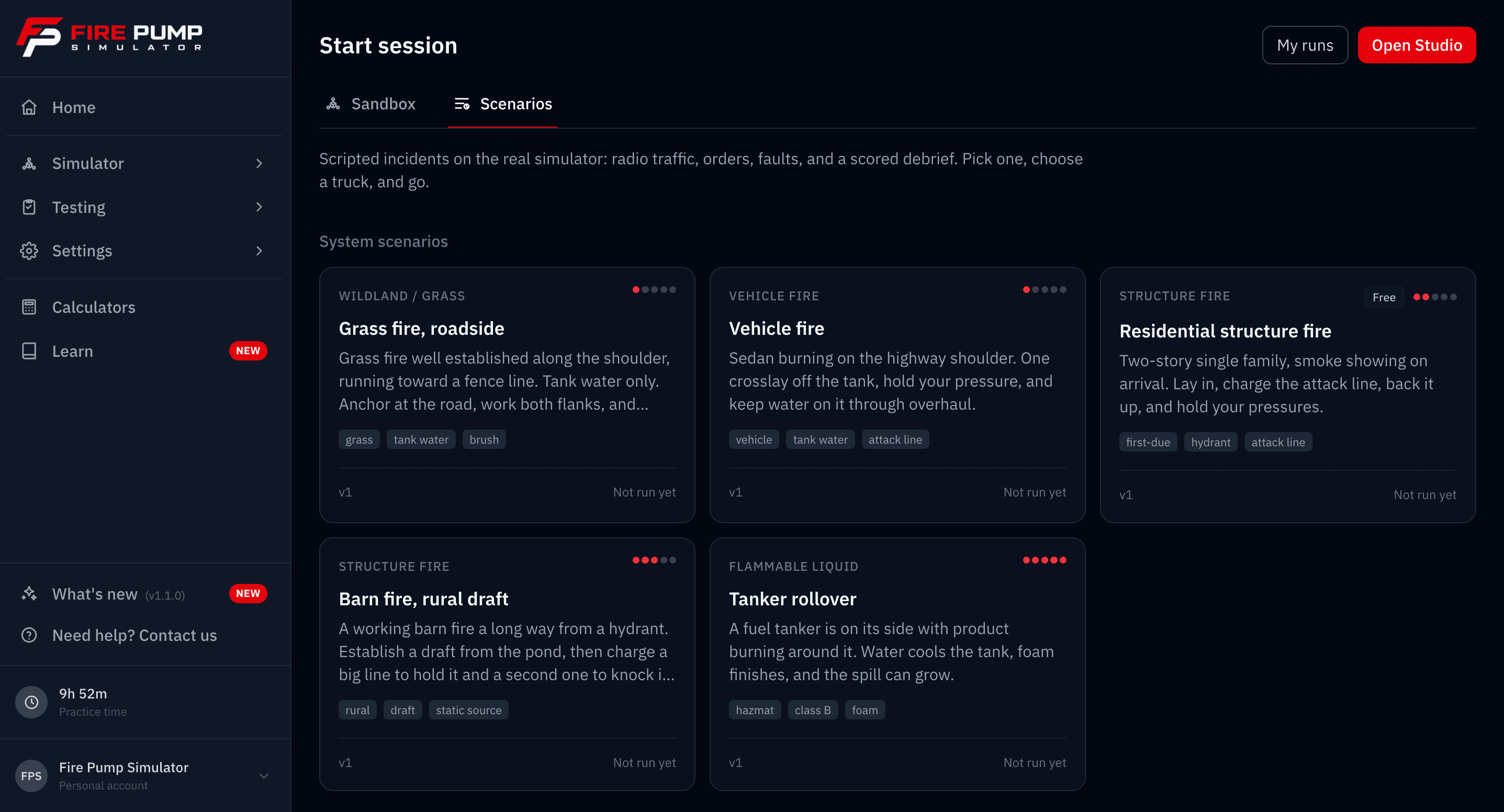
The residential structure fire is free on every account. Premium and department members run them all.
Assign it to the whole roster
Admins build scenarios for the department, and every member runs them on the trucks your organization has set up.
Assign with a due date
Send a published scenario to everyone or to the members you pick, with an optional email and a link to start. A passed run inside the window marks it done.
Review every run
Each run ends on a score card: objectives with times and points, the radio transcript, the fireground clock, penalties and bonuses, and a link to the full session replay.
Counts as training time
A completed run becomes a training record with real active time on the panel and the score attached. Studio test runs never count.
Frequently asked questions
What is Ask AI?
Does Ask AI change my scenario on its own?
What does Ask AI see?
How many Ask AI requests do I get?
Who builds scenarios in a department?
Do scenario runs count toward training records?
Your next drill is one sentence away
Start free and run the sample scenario today. Go Premium, or set up your department, to build your own with Ask AI.